

We recommend that you read the Tyk Identity Broker overview before configuring SSO for Dashboard.
How It Works
When a user logs in via SSO, TIB authenticates them against the configured IdP and then calls the Tyk Dashboard API to obtain a one-time nonce. TIB then redirects the user’s browser to the Dashboard’s/tap endpoint with the nonce appended. Tyk Dashboard validates the nonce and creates a session automatically. No further action is required from the user.
Tyk Dashboard identifies SSO users by their email address.
What happens after authentication is controlled by two settings:
TIB Service Account
TIB requires valid credentials to generate the one-time nonce from the Tyk Dashboard API. Typically you would create a dedicated TIB service account on the Dashboard and set its Tyk Dashboard API Access Credentials key (available from System Management > Users in the Dashboard UI) in the TIB profile. The service account does not need any special permissions, any active account is sufficient.TIB Profile Management
Dashboard users who need to create and manage TIB profiles require the Identity Management (TIB) permission.Profile Configuration
Dashboard SSO uses theGenerateOrLoginUserProfile action in the TIB profile. The following profile fields are required for all Dashboard SSO configurations:
The
ProviderName, ProviderConfig, and Type fields depend on your identity provider and are covered in the IdP-specific guides.
The user permission-related fields (SSOOnlyForRegisteredUsers, UserGroupMapping, DefaultUserGroupID, and CustomUserGroupField) are optional and used for unregistered users.
Two additional optional fields allow you to override which claims TIB reads from the IdP response:
These are useful when your IdP returns email or user ID under a non-standard claim name.
The
GenerateOrLoginUserProfile action type is also used to log admin users into Tyk Developer Portal. See SSO into Tyk Developer Portal for full details.Registered User Login
You can track the activity of users and assign them individual permissions by enabling the Dashboard’s user lookup system.-
Enable
sso_enable_user_lookup: truein the Tyk Dashboard configuration: - Create accounts for the users in Tyk Dashboard and set their permissions.
Unregistered User Login
By default, any user authenticated by the IdP is granted access:- Tyk Dashboard constructs a temporary in-memory user from the IdP data.
- No account is created in the user database.
- The user will not appear in the Dashboard user list and their last login is not recorded.
When combined, the Default User Permissions provide the baseline and group permissions are merged on top. Where there is a conflict, the higher permission level wins. If the user is an admin, group permissions are skipped to preserve admin rights.
IdP Permission Claims
When a user authenticates, the IdP returns a set of attributes about them, such as their name, email address, and group membership. TIB receives these attributes as a key-value map. The following TIB profile fields control how these attributes are mapped to Tyk Dashboard user groups:
Example: single group
The IdP returns the following attributes for the authenticated user:
groups claim, finds "developers" in UserGroupMapping, and the Dashboard applies the permissions of the {tyk-developer-group-id} user group to Alice’s session.
Example: multiple groups
The IdP returns a comma-separated list of groups:
UserGroupSeparator set to ",", TIB splits the value in groups and checks for both values in the UserGroupMapping. The permissions from {tyk-developer-group-id} and {tyk-analytics-group-id} are merged, with the higher permission level winning any conflicts.
Example: no matching group claims
The IdP returns the following attributes for the authenticated user:
sysadmin) does not match any entry in the UserGroupMapping so she is assigned the permissions from {tyk-default-group-id}.
Default User Group
Settingsso_default_group_id in the Tyk Dashboard config assigns all SSO users that TIB has not assigned to a group to a specific user group, from which they will inherit permissions.
sso_default_group_id must reference a valid, existing user group. If the group ID does not exist, the user will authenticate successfully but will have no permissions. The admin fallback is still prevented (because a group ID is set), but the user will be unable to perform any actions in Tyk Dashboard.Default User
In addition to the default user group mechanism, settingsso_permission_defaults in the Tyk Dashboard config assigns SSO users that have not been assigned to a user group by TIB to a specific set of permissions, for example:
Login Denied
To restrict SSO login to registered users only, set both:sso_enable_user_lookup: truein the Tyk Dashboard configurationSSOOnlyForRegisteredUsers: truein the TIB profile
Both flags must be set - if only one is set, the restriction has no effect.
Create a TIB Profile using Dashboard UI
TIB profiles are managed from the Identity Management Profiles page in User Management > User Settings.- Select Create Profile
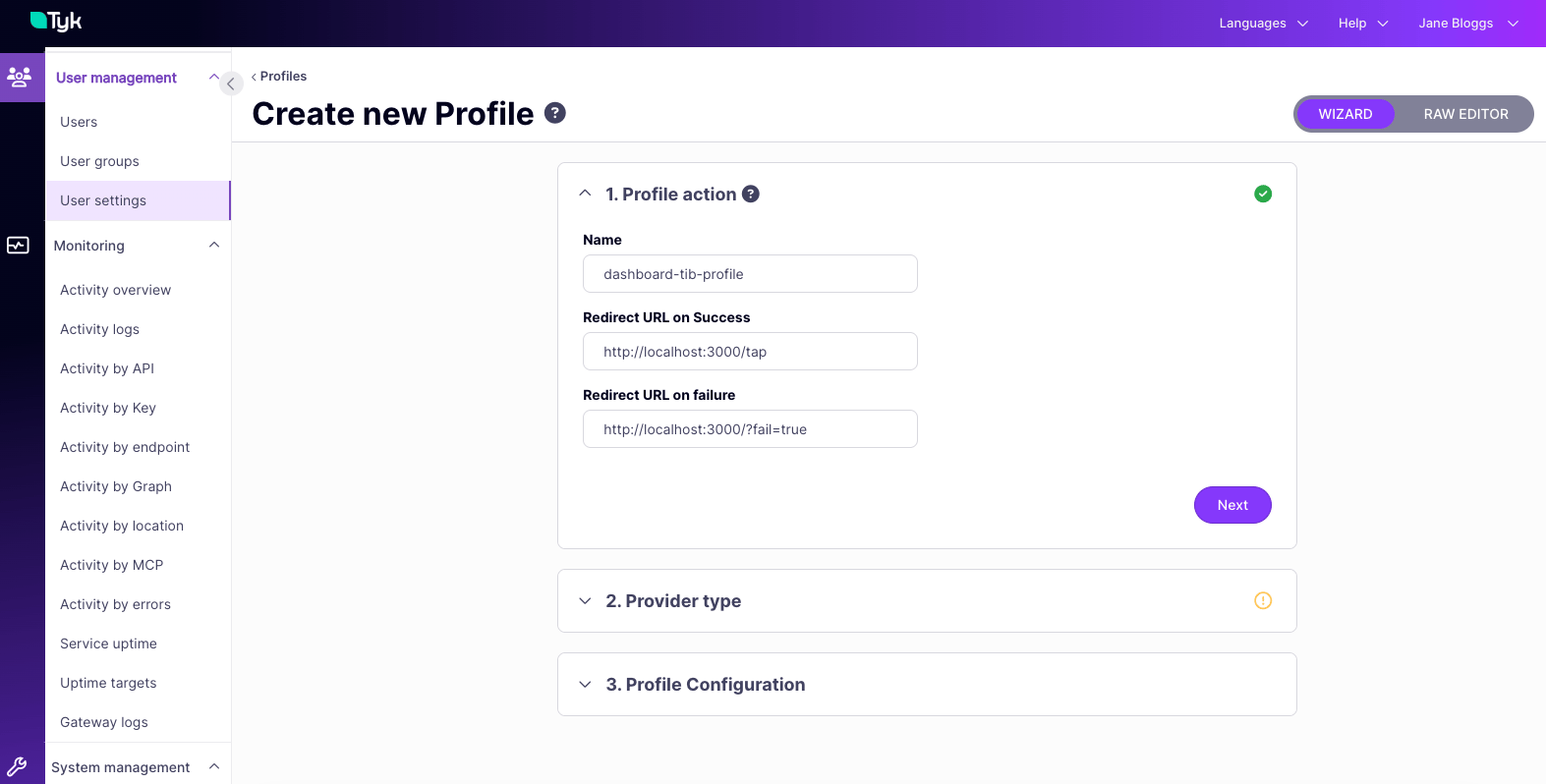
- Provide a Name for the profile - this will be stored as the profile
idso must contain only alphanumeric characters and hyphens - Provide URLs to which users should be redirected on success and failure
- Click Next
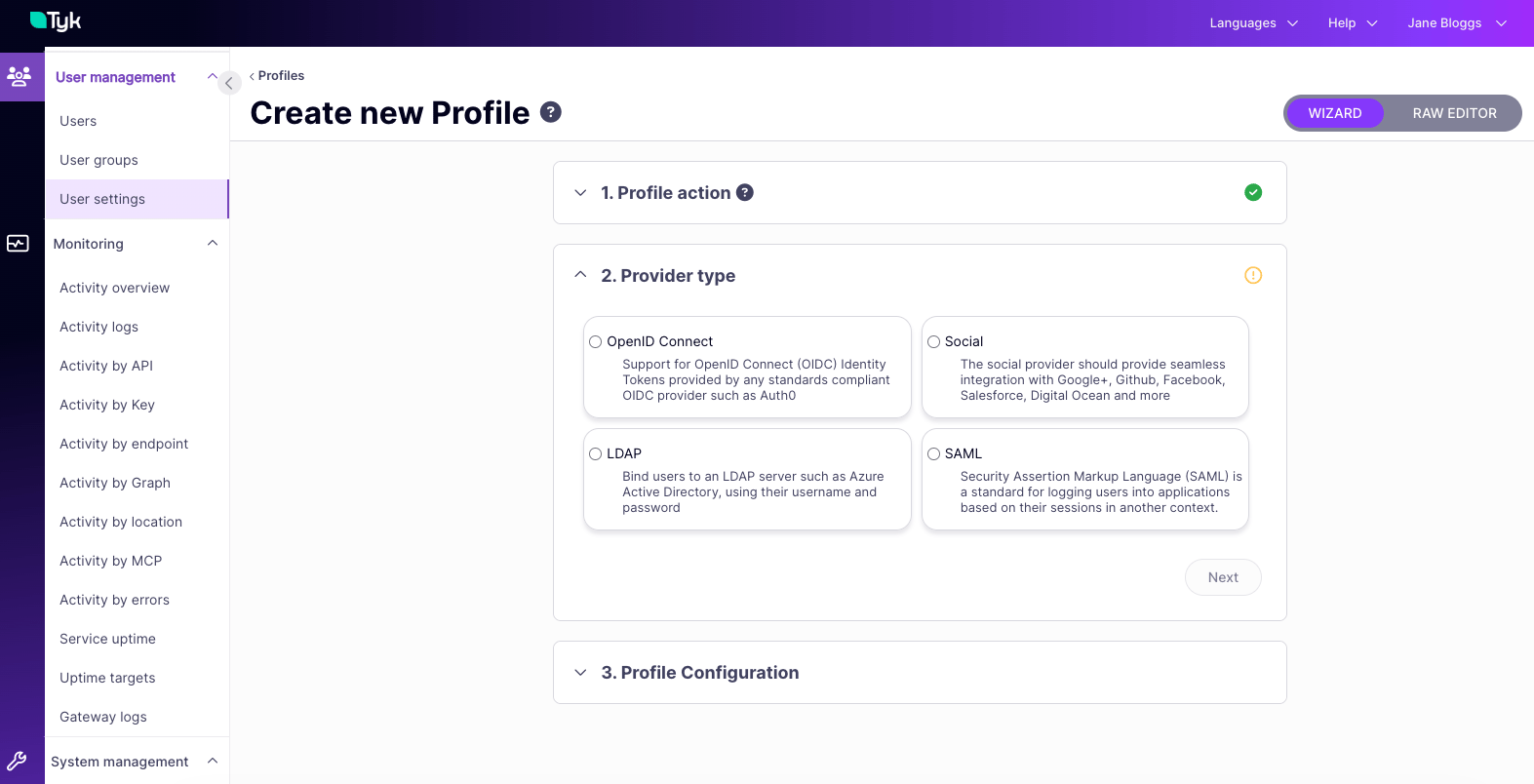
- Choose the Provider Type (method) and click Next
- Complete the configuration, which will depend upon the method chosen
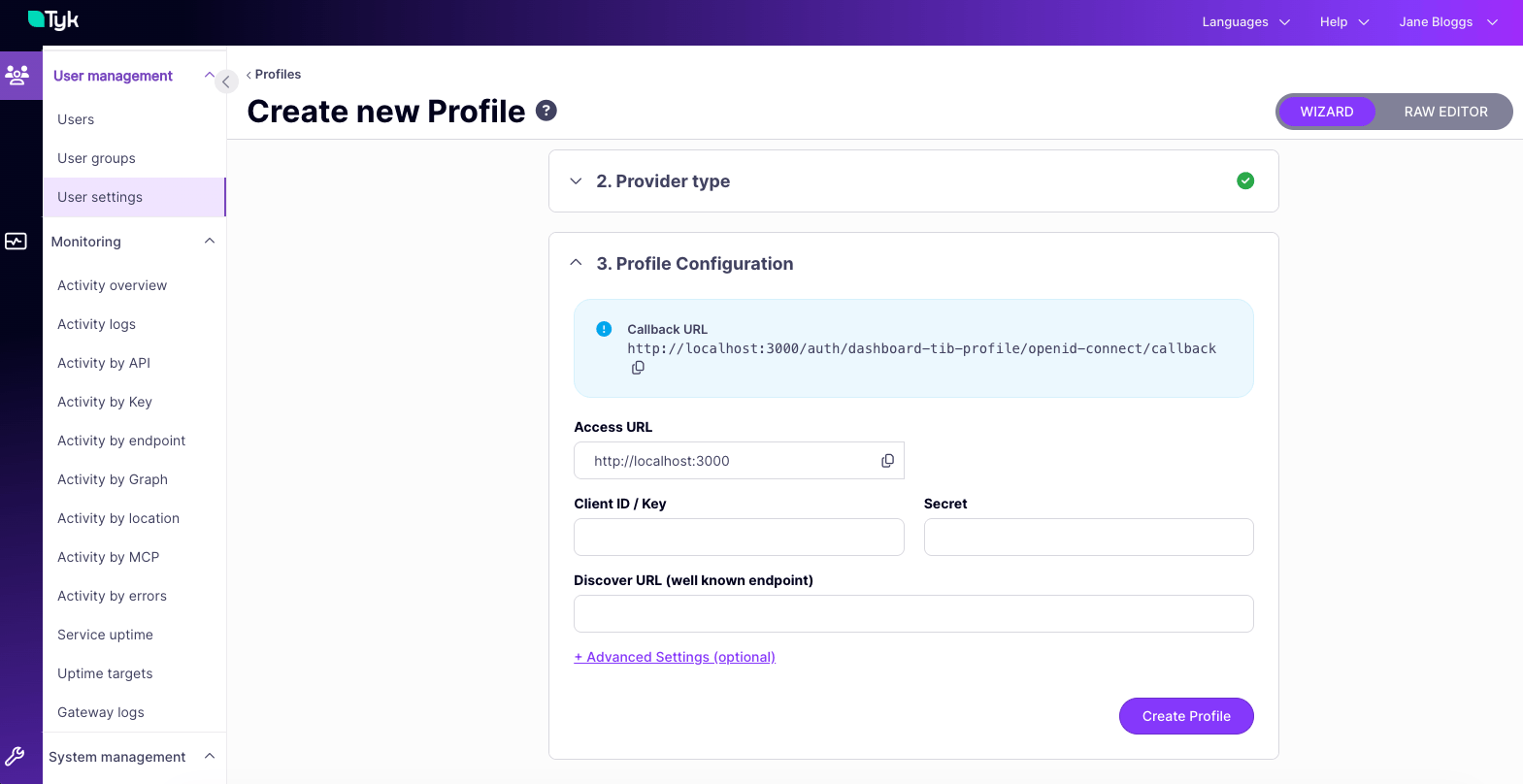
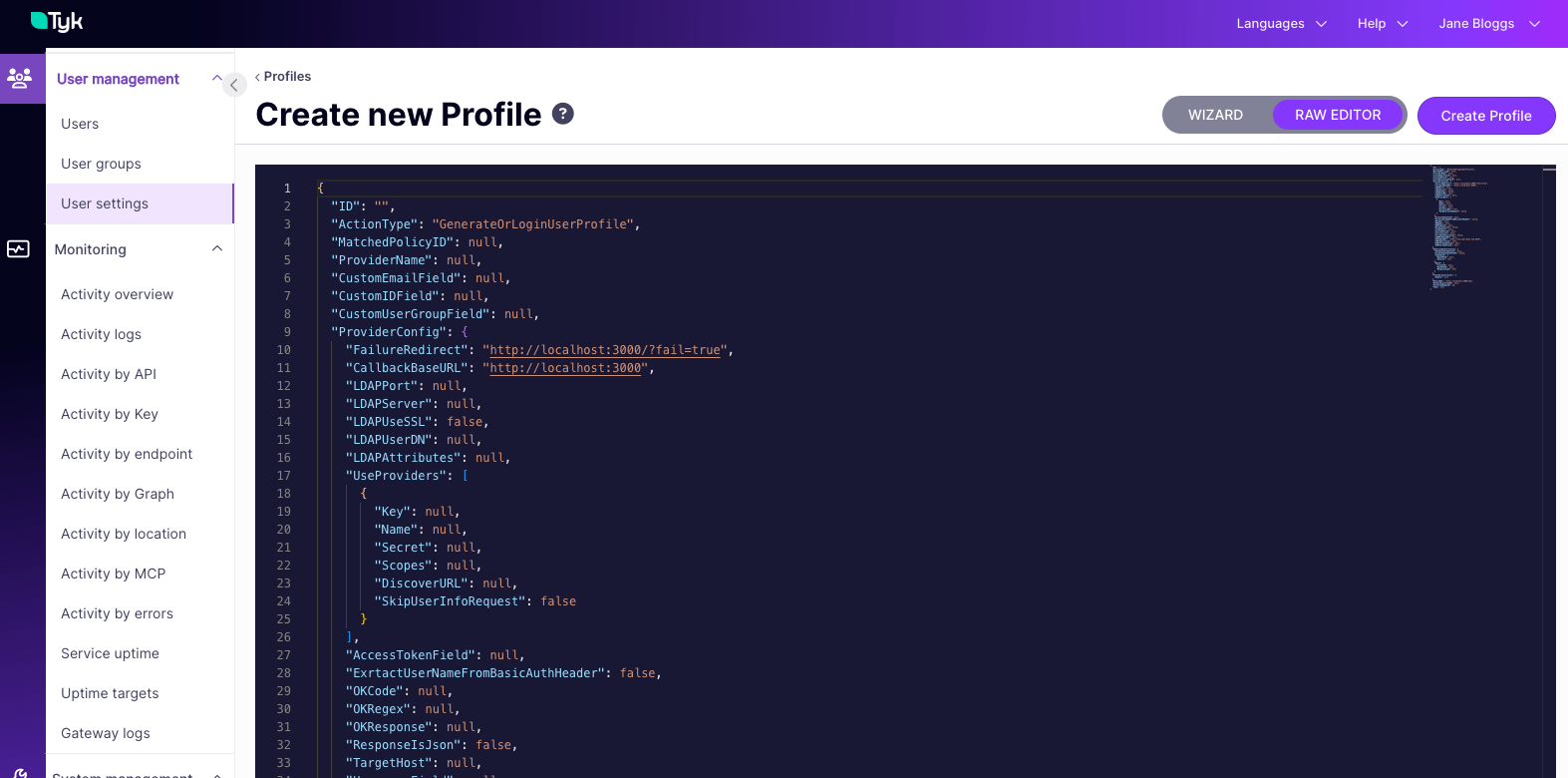
- Click Create Profile
Using Standalone TIB
By default, Tyk Dashboard uses its embedded TIB for SSO from v3.0 onwards. If you need to use a standalone TIB instance instead, configure theidentity_broker block in tyk_analytics.conf:
For installation and configuration of standalone TIB, see Install Standalone TIB.